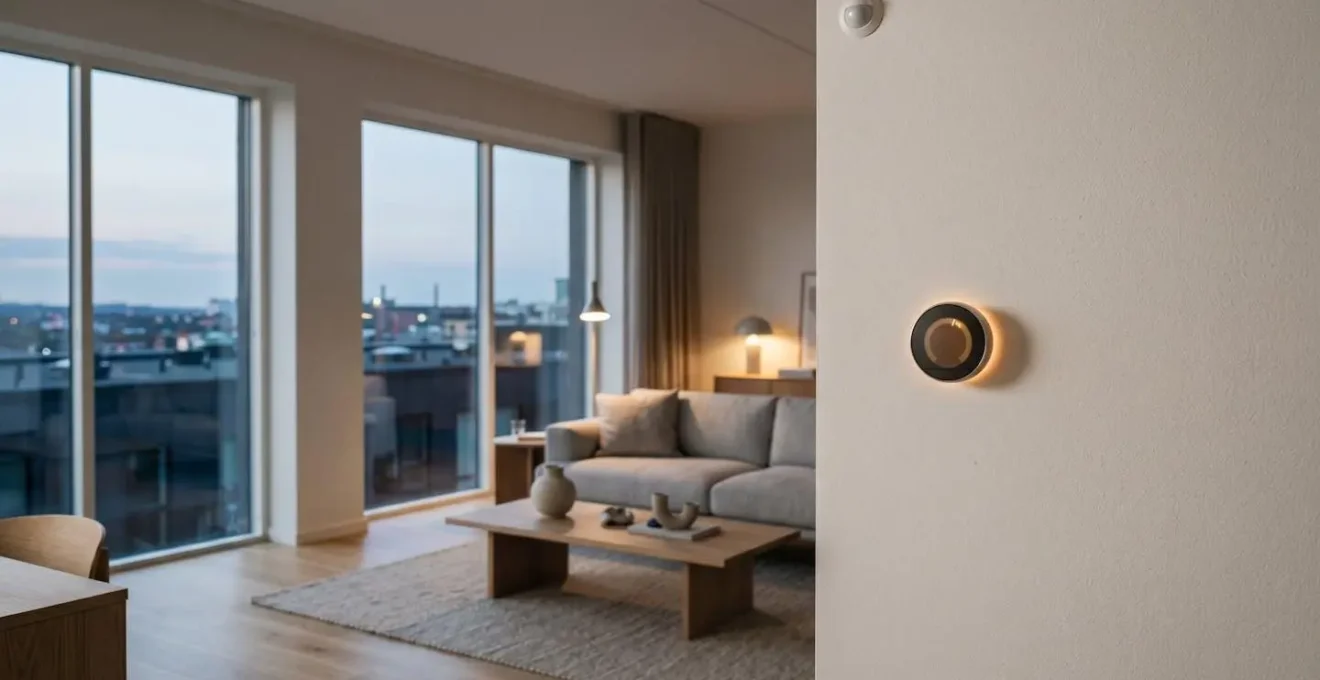
The secret to cutting your energy bill isn’t buying more smart gadgets; it’s building an intelligent, automated *system* that actively works against high UK energy tariffs.
- A learning thermostat is the start, but its real power is unlocked by integrating it with geofencing, occupancy sensors, and seasonal algorithms.
- True savings come from “load shifting”—automating high-draw appliances like washing machines and EV chargers to run only during cheap, off-peak electricity hours.
Recommendation: Begin with a smart thermostat, but immediately plan how it will integrate with smart plugs and sensors to create a home that thinks for itself and saves you money automatically.
As a UK homeowner, you’ve felt the sting of rising energy tariffs. It’s a constant source of stress, and the standard advice often feels inadequate. You’re told to buy smart plugs, switch to LED bulbs, and get a smart thermostat. While these are starting points, they are just isolated tools. Simply owning a box of smart gadgets won’t magically lower your bills if they don’t work together as a cohesive, intelligent system. The landscape of home energy is evolving, with new technologies like heat pumps and solar batteries becoming more common, but their efficiency also depends on smart management.
The real opportunity for significant savings—the 15% cut promised and often more—lies in moving beyond the devices themselves. The key is to focus on the automation logic that connects them. Instead of just having a thermostat you can control from your phone, what if your home knew when you were on your way back and started heating just in time? What if your washing machine automatically waited for the cheap overnight electricity rate before starting its cycle? This is the shift from a ‘connected home’ to a truly ‘smart home’.
This guide adopts the perspective of a smart home integrator. We’ll bypass the generic tips and dive straight into the practical strategies for building a system that actively fights high energy costs. We will explore the proven payback of a smart thermostat in the UK context, the specific automation logic that prevents waste, and how to make strategic choices about everything from your boiler to a potential solar battery. It’s time to make your technology work for your wallet.
This article will guide you through the essential components and strategies for creating a truly cost-saving smart home. The following sections break down exactly how to implement these systems for maximum financial benefit.
Summary: Your guide to smart home energy savings
- Why a Smart Thermostat Pays for Itself in Under Two Winters?
- How to Set Up Geofencing So You Never Heat an Empty House?
- Google Nest or Hive: Which Is Better for UK Heating Systems?
- The Security Setting You Must Change on Your Smart Camera Now
- When to Switch Your Smart Heating Algorithm to Winter Mode?
- Heat Pump or Modern Gas Boiler: Which Works in a Drafty House?
- How to Shift Your Washing Routine to Save £200 with Time-of-Use Tariffs?
- Is Installing a Solar Battery Worth the £5,000 Cost in the UK?
Why a smart thermostat pays for itself in under two winters?
The single most effective starting point for smart home energy savings is the thermostat, as heating accounts for the largest portion of a typical UK energy bill. The question isn’t whether it saves money, but how quickly you get your investment back. While generic figures often quote a 2-3 year payback period, the reality in the UK is much more favourable.
The key is the device’s ability to learn your routine and eliminate waste. A manual thermostat is binary: on or off. A programmable one is rigid. But a learning thermostat like a Google Nest adapts. It learns when you’re away, when you sleep, and how long your home takes to heat up, building a hyper-efficient schedule that a human could never manage manually. This constant micro-management is where the savings accumulate.
For UK homes, the numbers are compelling. A detailed analysis focusing on properties with combi boilers found that a smart thermostat can deliver £150-£300 in annual savings under current Ofgem tariffs. For a device that costs £200-£400 installed, this translates to a full payback in just 12-18 months. A typical semi-detached home sees an average gas reduction of 12%, while larger properties with more complex family schedules can achieve 15-18% efficiency gains by letting the AI optimise heating.
How to set up geofencing so you never heat an empty house?
Geofencing is one of the most powerful tools in your smart thermostat’s arsenal. It uses your smartphone’s GPS to create a virtual perimeter around your home. When you leave this zone, the system automatically switches to an energy-saving “Away” mode. When you re-enter, it kicks the heating back on so you arrive to a comfortable house. This single feature prevents the most common form of energy waste: heating an empty property. Research consistently shows that properly configured geofencing can lead to a 10-20% reduction in heating and cooling costs.
The setup is simple in theory, but optimising it for a multi-person household requires a systems-based approach. The key is to configure “last person out” logic. This ensures the heating only turns down when the last registered smartphone leaves the geofence, and turns back on when the first person returns. The radius of the geofence is also a critical setting; a 1-2 km radius is often a good starting point, giving the system enough time to pre-heat the home based on your typical commute time.
For a truly robust setup, experienced integrators recommend building in redundancy. You can combine the GPS trigger with a secondary confirmation, like detecting when the last phone disconnects from the home’s Wi-Fi network. As a final failsafe, a master motion sensor near the main entrance can override the “Away” mode if it detects movement inside, covering scenarios where a phone might be left at home or its battery dies. This layered approach ensures you get all the savings without ever sacrificing comfort.
Google Nest or Hive: Which is better for UK heating systems?
For UK homeowners, the smart thermostat market often boils down to two dominant players: Google Nest and British Gas’s Hive. Both are excellent devices, but they have fundamental differences in philosophy and features that make them better suited for different types of users and heating systems. Choosing the right one is crucial for maximising your savings and user experience.
The core difference lies in their approach to automation. The Google Nest Learning Thermostat is built around a powerful AI that automatically creates a heating schedule after observing your habits for about a week. It uses a built-in motion sensor to detect occupancy and aggressively cuts heating when the house is empty. Hive, on the other hand, relies on manual scheduling and geofencing. It gives the user more direct control but requires more initial setup and ongoing adjustments. As expert installers at Deakins Northwest Heating Engineers note, this distinction is key:
Nest’s learning system and motion sensors tend to cut heating more aggressively when no one’s home — something Hive won’t do automatically unless you adjust it.
– Deakins Northwest Heating Engineers, Hive vs Nest Smart Thermostat Comparison Guide
This table breaks down the key differences based on a detailed 2026 comparison for UK systems, helping you decide which platform aligns best with your home and preferences.
| Feature/Specification | Google Nest Learning 3rd Gen | Hive Active Heating |
|---|---|---|
| UK Price (2026) | £119 | £99 |
| Learning Algorithm | Yes – Auto-adapts to schedule in 7-10 days | No – Manual scheduling only |
| Heating Zone Control | Up to 20 zones (multi-property capable) | 1-3 zones per property |
| Boiler Compatibility | Condensing combi, system, regular boilers, heat pumps | Gas, oil, LPG, some electric boilers |
| Motion Sensor (Occupancy) | Built-in Farsight sensor | Not included |
| Geofencing | Yes (GPS + WiFi) | Yes (GPS-based) |
| Smart Home Ecosystem | Google Home/Assistant (native), Alexa compatible | Alexa/Google Assistant/Apple HomeKit compatible |
| IFTTT Integration | Yes – Open API for advanced automations | Yes – Third-party platform support |
| Energy Usage Reports | Real-time gas usage + green leaf efficiency indicator | Basic energy insights |
| Installation Complexity | May require professional (C-wire needed) | Often DIY-friendly (battery-powered option) |
The security setting you must change on your smart camera now
When you think about a smart security camera, you naturally think about protecting your home from intruders. But one of its most powerful features has nothing to do with security and everything to do with saving money. The setting you need to change is to stop thinking of it as just a camera and start using it as an advanced occupancy sensor for your entire smart home system.
Most modern smart cameras (like those from Nest, Ring, or Arlo) have sophisticated person-detection capabilities. Instead of just recording clips, this data can be used as a trigger for your home automation platform (like Google Home, Alexa, or Home Assistant). By integrating your camera’s “person detected” status, you can create powerful energy-saving automations that a simple motion sensor can’t match. For example, you can tell your system to turn off lights, music, and even lower the heating in a specific zone a few minutes after the camera confirms the room is empty.
This goes far beyond simple on/off commands. It enables true “room-level” presence detection. Your smart thermostat knows the house is occupied via geofencing, but the camera tells it *which room* is occupied. This allows systems with smart radiator valves or vents to direct heat only where it’s needed, shutting it off everywhere else. This level of granular control is where significant savings are unlocked, with some building technology research indicating up to 25-35% energy savings when smart sensor integration drives real-time automation. The “security” setting to change is your mindset: your camera is a data source for energy efficiency.
When to switch your smart heating algorithm to winter mode?
A common mistake homeowners make is treating their smart thermostat as a simple on/off device with a summer/winter switch. True optimisation comes from understanding that a modern thermostat operates with distinct seasonal profiles that go beyond a simple binary choice. As an integrator, I advise clients to think in terms of four seasons: Deep Winter, Peak Summer, and the two volatile “shoulder seasons” of Spring and Autumn.
The “switch” to winter mode isn’t a single event but a gradual change in the system’s logic. During the autumn shoulder season, the main goal is to prevent inefficient same-day switching between heating and cooling. This is done by widening the temperature “deadband” from 1-2°C to 3-4°C. Once the 24-hour forecast consistently shows low temperatures, the system enters Deep Winter mode. Here, the algorithm becomes more aggressive, using deep nighttime setbacks (e.g., dropping to 15°C) and learning the precise pre-dawn recovery time needed to reach your desired wake-up temperature without wasting energy.
Case Study: Four-Season Automation Strategy
An effective automation strategy leverages different assets in different seasons. In spring, the system might prioritise opening automated blinds on east-facing windows to capture free solar heat in the morning. In summer, it does the opposite, closing blinds to reduce cooling load. Critically, by integrating with weather forecast APIs, the system can pre-heat or pre-cool the house 2-4 hours before an extreme temperature spike is predicted, avoiding the use of expensive energy during peak demand periods. This proactive, forecast-driven approach is what separates a basic smart thermostat from a truly cost-saving energy management system.
Heat pump or modern gas boiler: Which works in a drafty house?
A common concern for UK homeowners in older, draftier properties is whether new heating technologies like heat pumps are viable. A modern condensing gas boiler provides powerful, rapid heat, which can feel effective at overcoming drafts. A heat pump, by contrast, delivers a lower, more consistent temperature. In a poorly insulated house, a heat pump may struggle to reach and maintain the target temperature, running inefficiently and costing more. So, does that mean you’re stuck with gas?
Not necessarily. The answer lies in shifting the focus from the heat source to the control system. As one expert guide explains, the type of automation you use should match the heat source:
A heat pump’s lower, consistent output is best managed by a predictive, learning algorithm, while a boiler’s powerful bursts benefit more from aggressive geofencing and schedule setbacks.
– Budget Heating and Air Conditioning, Smart Thermostats and Geofencing Technology Guide
However, before upgrading the entire heating system, smart home technology offers a more targeted and affordable solution for drafty homes.
Case Study: Using Smart Vents to Tame a Drafty House
Instead of a £10,000 HVAC overhaul, a homeowner can deploy a system of smart vents or smart thermostatic radiator valves (TRVs) for a fraction of the cost. These devices create software-defined heating zones. By placing temperature sensors in each room, the system gets a real-time “heat map” of the house, identifying which rooms lose heat fastest. The automation then closes vents/valves in unoccupied rooms or those that are already warm, and directs all the boiler’s power to the specific, drafty rooms that need it most. This approach stops you from heating empty spaces and can reduce HVAC runtime by 15-25%, effectively delaying the need for a major system replacement while delivering immediate monthly savings.
How to shift your washing routine to save £200 with time-of-use tariffs?
While heating is a major energy cost, the electricity used by your large appliances is another significant battleground. With many UK energy suppliers now offering “Time-of-Use” (ToU) tariffs, there are huge savings to be made by shifting your energy consumption to off-peak hours, when electricity can be 3-5 times cheaper. The practice of automating this is known as load shifting, and it’s where smart plugs become truly powerful money-savers, not just convenient switches.
The goal is to automate your high-draw appliances—washing machine, dishwasher, tumble dryer, and especially an electric vehicle charger—to run only during the super off-peak window, typically between midnight and 5 am. Doing this manually is a chore. But by connecting these appliances to smart plugs integrated into your home automation platform, you can “set it and forget it.” You simply load the washing machine after dinner, press start, and the smart plug will prevent it from drawing power until the cheap electricity kicks in automatically.
This strategy alone can save a typical family over £200 a year, primarily from shifting EV charging and laundry. For homes with solar panels, the logic can be inverted to “soak up” free solar energy during the day. The system can be programmed to run the dishwasher only when the solar panels are generating more than enough power to cover the home’s baseline needs.
Your action plan: Setting up automated load shifting
- Install smart plugs: Connect high-draw appliances like your washer, dryer, dishwasher, and EV charger to heavy-duty smart plugs.
- Identify your tariff windows: Check with your utility provider for the exact peak (e.g., 4pm-9pm) and off-peak (e.g., midnight-5am) hours and rates.
- Create time-based automations: In your smart home app (Google Home, Alexa, Home Assistant), create rules that only enable the smart plugs during the off-peak window.
- Integrate real-time pricing: For advanced savings, use a platform like IFTTT to connect to your utility’s real-time price API (if available) and trigger appliances only when the price drops below a set threshold.
- Set up a manual override: Install a physical smart button or create a voice command (“Alexa, I need to do a wash now”) to temporarily bypass the schedule for urgent loads without deleting your automation.
Key takeaways
- True savings come from system integration, not just owning devices. A thermostat, sensors, and plugs must work together.
- Focus on optimising heating first with learning algorithms and geofencing, as it’s the biggest part of your bill.
- Actively shift electricity usage for major appliances to cheap off-peak hours using automated smart plug schedules.
Is installing a solar battery worth the £5,000 cost in the UK?
With the rise of solar panels, the next logical question for many homeowners is about energy storage. Is a home battery, with a typical installed cost of £5,000-£10,000, a worthwhile investment in the UK? A battery allows you to store free solar energy generated during the day and use it during the evening peak, reducing your reliance on the expensive grid. While the payback period can still be long, a comprehensive smart home system can maximise its value.
An intelligent system ensures not a single watt of free solar energy is wasted. It prioritises using the energy in real-time to power the home, then diverts excess to charge the battery, and only once the battery is full does it export to the grid for a minimal feed-in tariff. But for homeowners with an Electric Vehicle (EV), an even more compelling and cost-effective alternative is emerging: Vehicle-to-Home (V2H) technology.
Case Study: The EV as a Home Battery
An EV with bidirectional charging capability can function exactly like a stationary home battery, but with far greater capacity and value. A typical 60kWh EV battery can power an average home for 2-3 days, dwarfing the 10-13kWh of a standard home battery. The economic proposition is superior: you’re using an asset you already own (or will own) for both transportation and energy storage. Your smart home system can charge the EV with cheap off-peak power overnight or free solar power during the day, and then discharge that energy to power your house during the 4pm-9pm peak, when grid electricity is most expensive. This dual-use strategy makes the EV a core component of your home energy system, offering a much faster return on investment than a single-purpose battery.
Ultimately, comprehensive smart home automation can reduce total electricity consumption by up to 30%. Whether you invest in a battery or leverage your EV, an intelligent control system is non-negotiable for maximising your return.
By implementing these integrated strategies, you move from being a passive bill-payer to an active manager of your home’s energy consumption. The first step is to assess your current setup and identify the biggest areas of waste, then begin building your smart home system, starting with the thermostat and expanding from there.